Showing posts with label kobo. Show all posts

Wednesday, February 28, 2018

Interesting article on e-readers and their future

I just finished reading this article on the future of e-readers: Is the E-Reader Dead? (not e-books I have to note) and I'm wondering what your opinion is.

Personally, I hope not! I love my Kobo Glo e-reader! I've been using one since the very first generation Kobo came out - which I think was around 2010? I still have my 2nd gen one around somewhere too. For a while I used a Kobo Vox, but I've happily gone back to the e-ink e-readers for several reasons.

The primary reason I've returned to the e-ink e-reader - I bought my latest one a couple of years ago, the Kobo Glo HD is the battery life. Overall, my opinion since is that I love it - the touch screen, ability to read footnotes, and the adjustable light, but overall the battery life!

I can take it on a week-long camping trip and not have to worry about running out of battery and reading-time. What's more, I don't have to read with a flashlight/headlamp at night either in the tent or by the fire. Personally at night I find that 2-4% brightness for the lighting works well, which is also dim enough that it doesn't always bother my camping partner.

I compare that with my iPad, which has about a ten hour battery life before I need to recharge it, or my old Kobo Vox which was about 6-8 hours of battery life and slow! Or at least looking back on it it seems slow.

One of the best things with the e-ink e-reader over using an app on my phone/tablet - besides it's habit of sucking battery-power - is the ease of loading the many non-Kobo e-books I have on my computer - the early Honor Harrington series thanks to the CD that came with the hardcover edition of War of Honor, similar collections from other CD's, electronic ARC's and even small-site purchases of e-books. Run those into Calibre, make sure they're in the right format, and then load them onto the e-ink reader.

If I'm doing the same thing with books on my iPad e-reader, I have to do the format checks, then e-mail the e-pub file to myself and then download it into the Kobo app on my iPad. Much more of a hassle in my mind. However, there may be a faster method that I'm not aware of.

Maybe it's a personal thing, but I like having a dedicated device for reading - I remember with the Kobo Vox how easy it was to read for a few minutes then get side-tracked with the games I'd loaded onto that device before coming back again to read for a bit more. Reading on a dedicated device reduces that temptation - though the fact I'm generally carrying a phone with games on it mitigates that.

For the most part, while I prefer paper books, the one thing I can't deny is the convenience of an e-reader of any sort for books like The Mists of Avalon, or The Deed of Paksenarrion - both books that are 800 pages plus, and often over a thousand pages each. Forget taking something like that traveling! Camping or otherwise. Even when traveling, I'm spoiled for choice, with probably a hundred e-books or so with me. Despite that, I'll still carry a couple of paper books too - no way I'm going to risk my e-reader taking it out on my kayak. An inexpensive mass-market paperback that I bought used - and can find again easily? That I'll take, sealed inside a zip-lock bag.

One of the other bonuses with e-books is the "instant gratification" factor. Finished one book and want to read the next in the series? Go online to the store and purchase/download it right away. No having to order the book and wait for it to come in. I will admit to buying some series this way for exactly that reason.

And finally, there's no need to be embarrassed by a book cover any more. Romance novel? No-one's going to see it and judge it - especially if you have a cover on your e-reader. Racy cover? same thing. Again, I have a couple of series that I'm only buying in e-form for just that reason.

Really for me, the dedicated e-ink e-reader really comes down to three main points that raise it over the e-reading apps for phones and tablets (though I'll admit to using the Amazon.com app on my iPad, and I also have the Kobo app on it, though I rarely use it).

First of all, the battery life - it's challenging enough keeping my phone and iPad charged when camping. Having a device for a pastime I do a lot of where I don't have to worry about the battery is a really big plus (I'll easily read for two or three hours a day sometimes).

Second is the convenience of being able to quickly and easily load on non-Kobo or non-Amazon.com books.

And the third point in favor of the e-ink e-readers: No screen-glare! Which does actually raise a fourth point - how easy it is to read on an e-ink screen under any lighting conditions - bright sun in sunglasses? no problem. Dim shade? Easy. Late at night? Simple. It's so much easier on my eyes. What's more, the e-ink readers give you more control over how the text is laid out on the page/screen I've found. More font-options, margin and line-spacing controls as well.

Overall, as you can see, I'm really hoping that the article linked above isn't correct in it's predictions.

What's your take on the issue?

Monday, April 25, 2016

The Kobo Glo HD

Kobo Glo HDThe Kobo Glo HD

After a few years of silence on the various Kobo e-readers, I'm piping up again with a rather rambling review of the Kobo Glo HD.

I got into the e-reader craze with the original Kobo - think back to the directional button for navigation and no wi-fi connection. Upgraded to the second generation - same navigation system, but added wi-fi capabilities (and came in some fairly nifty colors). Then I went over to the Vox. And after that, faded back to a strong preference for paper books. I've barely used an e-reader for at least three years.

However, I'd been talking about getting one of the Glo variants for a couple of years now. I finally broke down last month and did so. In general, I've found that I prefer the e-ink style e-readers, although, as the proud owner of an iPad as well, I've still got the option for anything that will do better with full colour (Judith Tarr's Writing Horses: The Fine Art Of Getting It Right for example).

There are several areas where the touchscreen e-ink e-reader outdoes the iPad and even the Vox versions.

First thing. Footnotes. This is something that the original Kobo Touch incorporated, but not any of the reading apps as far as I can tell. However, as someone who likes to read non-fiction as well as fiction, I really appreciate this - even though to date I only have one book which incorporates this feature. It makes the e-reader much more usable for non-fiction reading as well as novels. When I touch a footnote marker, it brings up the footnote right on screen over the page, allowing you to read it and go right back to reading the main text without disruption.

Given some of the articles I've read over the last year to two years on support for indexes in e-pub format ebooks, I'd be interested in seeing how the e-ink Kobo e-readers handle indexes as well. Any suggestions for particularly outstanding examples?

When it comes to the screen and the "Glo" or "ComfortLight" lighting, I have to say it's pretty good. Both definitely live up to their billing of being able to read in both bright, direct sunlight and in darkness. I've tested both. Right from the start with the original Kobo e-ink e-reader they've been great in the sun. I remember having mine with me the day after I got it and sitting out around Noon in full sunlight and having next to no problems. I think I might have upped the font size by one, but that was all.

Now, for night-time or other low-light reading situations, the ComfortLight is an improvement on the methods I had to use with my original e-readers: clip-on lights. Those lights never lasted more than a few hours - I'd kill one on the first couple of nights of a camping trip - before the batteries went.

The strength of the screen light can be easily adjusted. Personally, I rarely take it up above about 30%. Even 2-4% is enough for use in a fully dark room - and it's not as likely to disturb anyone else in the room, although courtesy dictates that the best way to read under those circumstances is to make sure the back of the Kobo is facing them to minimize the light disturbance.

The interface for adjusting the fonts, sizes, line spacing and margins remains more or less the same as it was with the Kobo Touch, as does the workings of the library and home screen as far as I can remember.

Battery life is another satisfactory area. I haven't actually tested how long it takes to end up draining the battery completely yet, but I've only had to charge the battery twice in the last three weeks of fairly heavy use - and probably could have gotten away with leaving it longer both times. I think once was at 60% and the last time the reader still had about 30% of the battery left.

The claim is that the battery will last for up to two months. I'm guessing that that's with either no use or very light use, and of course, using the light will drain the battery faster. Not what I've been giving it. Since I bought the Kobo, I've read the following books on it:
  1. Cythera, by Jo Graham
  2. Deeds of Honor by Elizabeth Moon
  3. Dies The Fire by S. M. Stirling
  4. Time Enough For Love by Robert A. Heinlein
  5. Trio of Sorcery by Mercedes Lackey
  6. Finding The Way by Mercedes Lackey 
  7. The Apocalypse Troll by David Weber
Also, about a quarter of Cleopatra: A Life by Stacy Schiff, and some of Lara Adrian's first Midnight Breed novel, A Kiss of Midnight. Quite respectable for what would be more or less one battery charge I think.

The only negative comment I have is nothing to do with the physical Kobo. Instead, it is regarding the price of e-books. While some (such as many of those by Jo Graham) are still very low priced, others are the same price as the mass-market, or even trade paperback version of the book. I guess my mind is still stuck in the early days of e-books when they were marketed as a way of saving money on your book-buying. On seeing that, I generally opt to buy the paper versions these days. Still, there are times when I can't get to the bookstore, or they don't actually have the book there, so the "instant gratification" aspect of e-books comes into play.

Friday, May 17, 2013

The Kobo Family

Way back when, when I got my first E-reader from Kobo, they only had the one model. Now, there are almost too many to count - especially when you add in all the colour options.

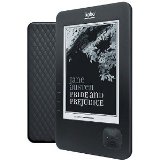
The earliest that I still see on the market on occasion is the Kobo Wi-Fi. This was the second Kobo E-reader I got, and as a basic model, it still does absolutely fine. If I remember correctly, it held up to a thousand books and the battery typically lasted about two weeks. I remember getting about three to five books read on it at a time. I know this one was on the market in mid-2011 because I wrote a post about it around then. This was the first Kobo to give more than simply a choice between black and white. There was the black, all-white, white and lavender, white and silver, white and baby blue, and I think, white with a grey backing. Navigation was done via the thumb-pad in the bottom right corner.

The next models on the market were the Kobo Vox and the Kobo Touch. Two completely different e-readers catering to a completely different audience set. The Kobo Touch was the next generation e-ink reader and the first of the new touch-screen readers Kobo released. The biggest additions this brought about were more control over the page appearance - not just font size, but multiple fonts, line spacing and margins were all adjustable. They also added the ability to touch a footnote and have the book take you to that point and then back to your original page again, which in my mind opened up a lot of non-fiction reading options, not to mention the ability to highlight and take notes on what you're reading. Kobo also improved the battery life dramatically.  As with the Wi-Fi, the Touch comes in several colour options, including pink, blue and white backs with a white front, and also an all black model.

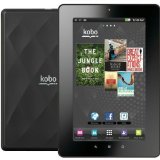
The Kobo Vox is one I've written about quite a bit on All Booked Up. It was the first Kobo Tablet E-reader. As a result it has all of the positives and the negatives for the type. I have one though, and I quite like it, so in my mind given what it is, for a certain segment of the population, the Vox is ideal, and the shortcomings won't be as noticeable. Mainly the shortcomings are that the battery life is about seven or eight hours of use and that the tablet isn't the fastest one out there. On the positive side is the ease of being able to browse the internet via Wi-Fi, and get your e-mail, jot down a few notes or even play a few games. The Vox also retains the micro-SD card slot, which is one of the things I've used the most often with it. The Vox (and of course, the Arc) is ideal for someone who likes graphic novels, or for someone who likes to be able to do more than just read on a device. I have to say, this is the Kobo that I've found it easiest to load on library books for, and another neat feature was being able to install the Amazon Kindle app as well, giving me the best of both worlds - something that has since been made even easier.

Another first with the Kobo Glo: The first non-backlight built in light for reading. Also, the first to go completely to a touch screen with no navigation buttons. Two GB of storage allows for 30 thousand books, and there's a micro-SD card slot if you need more storage. The Glo also has a slightly faster processor than the Touch, making for a slightly faster reading experience. Not as dramatic a difference than there was between the Wi-Fi and the Touch, but a very nice update, and honestly, the one I recommend to anyone I know is going to be doing a lot of travel. The light is just too helpful I think. Adjustably bright, so useful in all kinds of reading situations from twilight to absolute middle of the night darkness. If I were going to buy another e-ink e-reader I think it would be a toss-up between this one and the Aura HD.

Along with the Glo, Kobo has come up with another bright idea: the pocket-sized Kobo, perfect for students, commuters and anyone who likes to snatch any stray moment to read: the Kobo Mini. With only a five inch screen, this one will literally fit in your pocket. On the other hand, this is a more basic model. All of the navigation features are there, but this Kobo has a slower processor than the Glo, which came out at the same time, matching the one in the Touch. The Mini is also lacking the ComfortLight of the Glo and the micro-SD card slot. For some, that doesn't matter - the smaller size is the big selling point. For me, I think those are the deal-breakers. I'm a fast enough reader that the thought of having less text on the page and having to turn the page more often would be an annoyance.

Kobo also has a new tablet e-reader out this year: the Arc. Like the Vox, it's running on the Android operating system. Unlike the Vox, however, this tablet doesn't have the micro-SD card slot - something I would miss greatly. I used it regularly for transferring books and other files to and from my e-reader. One nice change between the Vox and the Arc though is the choice in sizes. The Arc comes in 16, 32 and 64 GB sizes, so depending on what you're planning to do, there's going to be plenty of room to work with. Another improvement I can see right off is the dual front-facing speakers. Those should really improve the sound quality if you want to use this for something like NetFlix.

As I said with the Vox, I'd recommend this one primarily for those who want to read books that use plenty of colour, such as graphic novels and the like. I can see from the screen layout that this is geared more for multimedia use rather than for strict reading.

Kobo Aura HD - OnyxThe final and newest e-reader in the Kobo family is the Aura HD. I wrote a full post on it here earlier today, so I'll just summarise some of the points briefly here. Rather than the normal screen of 6 inches that the majority of the other e-ink/pearl readers listed here have, this one has a 6.8 inch screen, making it closer to a hardcover in size. Also, the Aura HD has at least twice the storage of the other e-readers at 4 GB of space. Finally, the ComfortLight has been improves somewhat so there's less bleeding at the edge of the screen. The only negative I've found so far is the removal of the "Free Books" category from the Kobo store menu. The books are still there to be found. You just have to know about them to be able to search by name, rather than being able to browse a list.

Thursday, May 16, 2013

Kobo Aura HD - The Newest Kobo E-Reader

I've been following the evolution of the Kobo E-reader from the very first e-reader of theirs, although my first post on the topic was after the second generation came out, when they added the wi-fi ability.

Kobo Aura HD - Onyx
Last month Kobo released a new e-ink reader - the Kobo Aura HD. They've done something a bit different with this one too - it's larger than the Kobo Glo (which it strongly resembles) and they've apparently added some new features as well.

The most obvious change is the size. The Aura has a 6.8 inch screen where the Touch and the Glo both have 6 inch screens. As a result, the page is more the size of a hardcover's. So, for those of you that don't like to change the page that often, this e-reader will be able to fit more text per page. Definitely something that I like about it.

Like the Glo, the Aura has the front-lit screen, but they have improved it a bit. There's less bleeding around the edge of the screen, making for a more even lighting. This is the biggest advantage of the Glo and the Aura. I certainly wish my e-readers had this feature. It's perfect for reading on air-planes, especially those overnight flights. I remember with the Kobo Wi-Fi when I was travelling that I'd forgotten to have the light with me, and the provided light was almost useless it was so dim.

Now to get more technical. The screen resolution is 1440 by 1080, which is supposed to be one of the best on the market for this type of e-reader. Going along with that is the increase in the controls you have over how the text appears. Font sizes, margins, line spacing, and the fonts themselves are all adjustable. That's been true for the last three models of the Kobo - since the Touch came out, but they've added the ability to adjust the sharpness and the weight of the fonts as well.

Not only that, but they've improved the onscreen keyboard as well. Now the row of numbers is on the same screen as the letter keys, making it easier to use.

The Aura HD has another feature that puts it above the rest of the Kobo E-readers as well: the storage space. My understanding is that this e-reader has the most storage space on board of any in its family, at 4 GB of storage, and a slot for a micro-SD card, so you can add even more storage if you need to.

Those are all positives. There is one negative I've seen with the Aura HD. They've removed the Free Books list from the menu. The books are all still available for you to download. They're just not listed together for easy browsing. Now you need to know exactly what you're looking for before you start. How big of an issue this is for you depends on the kind of reader you are. Personally, I've not used the free books listing with my Kobo in quite a while.

I honestly have to say that I've been quite tempted by the Aura HD.

Sunday, June 24, 2012

Kobo Vox Update - Android Marketplace (Google Play)

The biggest news involving the Kobo Vox in recent days is the latest system update. This one was big enough that Kobo sent out a mass e-mail a few days ago to announce it: access to Google Play, which also includes the Android Marketplace.

On turning on my Kobo Vox after the update was applied, I discovered that the GetJar marketplace icon which had originally come with the Kobo Vox was replaced by one called Play Store, which brought up the Google Play site. That's where the apps market is now.

At the same time, the Vox has added more Google integration to the system: the "Notifications" bar across the top now has a little e-mail icon, and on swiping it to see the notifications, it now states how many new e-mails I have. There are probably other integrations too, but that is the first one that came to my notice right off the bat.

A quick search discovers that my work-around for adding the Kindle app to the Kobo Vox is no longer needed. It's right there in the app-market at the top of the results list from a search for "Kindle for Android". I suspect the same thing is true for a lot of the work-arounds people have been using to date as well.

It may well be possible to read NetGalley titles easily on the Vox now. Aldiko Reader is easy to find and install, which is what NetGalley says to use with Android. I'd check it out but at the moment I have no titles requested.

I think this update is something that a lot of people have been waiting for. I know I have, if only so I don't have to say to people that the Vox doesn't have access to the Android Marketplace anymore.

Sunday, May 13, 2012

Kobo Vox - Longer Term Impressions

It's now been several months since I posted both my First Impressions review of the Kobo Vox and my Further Impressions. Since then, I've added a couple of tutorials: Installing the Overdrive Media Console and Installing the Amazon Kindle app.

While I've been a fan of the Kobo e-reader from day one, since I got the Kobo Vox, I haven't even charged up the old Wi-Fi model once. As far as I'm concerned, low battery-life and all, the Vox trumps the older models completely. I can't say anything about the Touch model though.

 I've done a fair bit of reading on it too. Both of Michael R. Hicks books - through the amazon Kindle app, which works like a charm - and several others too.

Daylight or night, it works wonderfully with all kinds of lighting - definitely better than my smartphone screen.

Reading back, I noticed that I commented on the Live Wallpapers having a tendency to slow my Vox down back in my Further Impressions post. Maybe it was just that one wallpaper, because I've since been running a spectacular one, with no problems in the last couple of months. Finding and installing the wallpapers though has been a challenge, because most of them are linked from the Android Marketplace, which it seems, the Vox still has no access to. On the other hand, I haven't tried in recent months, but at the same time I haven't heard otherwise either.

The libraries have been a bit of a disappointment though. Nothing to do with the Overdrive Media Console app or how it works however. That side of things has worked - no problems. It's just that the libraries don't seem to have the kind of books I'm interested in reading - mostly science fiction or fantasy novels.

Loading on non-Kobo E-books is still an absolute breeze. Drop the e-pub file onto your micor-SD card and insert it into the Vox. Open the Library, and your e-reader does the rest of the job for you. Believe me, about half my library is on there from that method.

The feature I'm starting to take more advantage of now though is the Pulse, that social aspect of reading which has been integrated into the Kobo Vox interface. Surprisingly, at least with the super-popular books like Game of Thrones, it's lots of fun, because you can keep track of who else is reading the book at the same time, and how many times the book has been read. Not to mention reading other people's comments about the book. It's possible to read all the comments at once (choosing one option will let you avoid spoilers too) or to see comments and "likes/dislikes" for particular pages. It's kind of neat to know that somebody has commented for the same page you're reading. I'm thinking of it a bit like a world-wide book club for the book you're reading. Unfortunately, it only works with the books you buy from Kobo.

At the same time, I'm integrating Facebook into my reading a bit more. I only just managed to get the Facebook app (the screen just past the home screen) to let me log in properly, and I've been finding that the Facebook integration with Kobo is a bit finicky, and not always letting me do things like posting quotes. On the other hand, that could be my unfamiliarity with both Facebook and that segment of Kobo usage talking.

On a different topic, recently Dark Horse Comics has announced a partnership with Kobo to bring their graphic novels to the Kobo Vox. Even though I haven't tried reading a full graphic novel on the Kobo Vox, I have seen what they look like. It's spectacular! The pages are vibrant and clear, with readable text and crisp images.

Overall, I've had nothing but good experiences with my Kobo Vox over the past several months. Certainly the "new gadget" appeal has never worn off in my eyes.

I have however, noticed a change in how I read, using the Vox as compared to reading a paper book or even on the older Wi-Fi model. Before, I would read in longer segments of time, even hours at a time. Now, when I'm reading on the Vox, I find myself switching over to playing a game after only a few minutes of reading. Just the temptation of having the games available?

Friday, March 23, 2012

Friday Favourites - Your Favourite Aspect of the Kobo Vox?

Friday Favourites - a chance to rave about a favourite reading/book related topic each week.

Sometimes you just want a chance to rave about some favourite aspect of reading that doesn't really come up during regular blogging posts - that's what this is about. I'm willing to bet that at least some of those will come up one week or another.

This week I'm asking what your favourite aspect of the Kobo Vox e-reader is. Or, what your favourite app is?

Please leave either a link to your response or your response itself in the comments.

My answer: I know this is more of a limited question than some I have asked, but I started wondering anyway.

For myself, I find that it's the flexibility that I have thanks to the ability to install apps. I've installed the Overdrive Media Console so I can read library books, and because of that, I don't even have to be using my computer to look them up. Because the Kobo Vox is more of a tablet computer type, I can do it all from there, providing I have Wi-Fi access.

Or, and for me, this is the big one. Although I love Kobo, with the Vox, I'm not restricted to only Kobo and any repositories of e-pub books. It is possible, with a little bit of work, to install Amazon's Kindle app to the e-reader, so I have the best of both worlds. That's how I was able to take advantage of Michael R. Hicks sale on the In Her Name omnibus edition - now over.

It's just plain nice to have options. Some days, I find myself using the Vox more for playing games than for reading, others I alternate between reading and game playing.

Friday, March 16, 2012

Friday Favourites - Your Favourite Aspect Of E-Books?

Friday Favourites - a chance to rave about a favourite reading/book related topic each week.

Sometimes you just want a chance to rave about some favourite aspect of reading that doesn't really come up during regular blogging posts - that's what this is about. I'm willing to bet that at least some of those will come up one week or another.

This week I'm asking what your favourite aspect of e-books is.

Please leave either a link to your response or your response itself in the comments.

For myself the first thing that comes to mind is the sheer portability of some of the e-ink e-readers out there. The last for weeks and weigh very little. As a result, I'd have to say that my favourite aspect of e-books is portability. I can have a dozen or more books at my fingertips, so there's always going to be something that I want to read there. And, I haven't taken up half my baggage space with books the way I used to when I travelled.

There is a second aspect that  I love too. This one comes from the people I talk to at work, where selling e-readers is one of my jobs. I've had several conversations with people who say how much they love the variable font size, that it's making it easier for them to read again. I love it that the e-readers can open up the worlds of books to people who have a hard time with paper for various reasons.

So, what's your favourite aspect of e-books and e-readers?

Friday, January 20, 2012

Book Rambling: E-Books and Paper Books

I've been thinking a bit lately about my buying patterns when it comes to books. First off: I do have two e-readers (Kobo Vox and the older Kobo Wi-Fi), so I'm not adverse to e-books in any way, shape or form. And yet, I still buy far more actual paper books than e-books. What's more, sometimes it seems like I'll read those paper books first too.

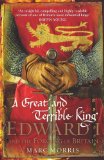
Yes, I'll buy the paper books even though the e-books are often less expensive. Case in point: the book A Great And Terrible King: Edward I and The Forging Of Britain by Marc Morris. I will admit that I contemplated buying the e-book which was distinctly less expensive ($9.99 on Kindle, or 11.19 for the Kobo, compared with almost $24 for the hardcopy book on the Chapters.ca website). Pre-Vox, I wouldn't even have considered the e-book, because I would have a harder time taking notes from it. Now, though, with the ability to highlight and take notes, that's less of an issue now.

But, for this book specifically, I went with paper, because I know of someone else who would probably like to read it. And, I don't really want to loan out my e-reader (I'm usually reading a couple of things on there).

The other times I go for paper over e-books without even thinking about doing otherwise are when I already have the rest of the series in paper form (often even in hardcover format), such as with the novels by Mercedes Lackey, J.R. Ward, Patricia Briggs or Kylie Chan. Although, I will admit to duplicating the first of Kylie Chan's books (White Tiger) for the Kobo, as well as having it in paper. The price was too good.

Those are all the reasons I've gone for paper over e-books, so now to go the other way:
The book's just plain not available anywhere around in paper format (Stray by Rachel Vincent. It wasn't even in the local libraries).

Or, there's the e-book only cases: Ravens of Falkenau comes to mind there, Jo Graham's book of short stories. A lot of authors seem to have short stories available as e-books, which is another plus.

And, you can't forget all of the free e-books available. Be they limited time promotions or permanently free. I've found quite a few good ones now and again.

The biggest reason is, of course Travel. That's where the e-book readers really shine. Especially if you're a faster reader. It's ridiculous to take a stack of four or five books with you with the costs and restrictions on luggage. With the e-reader, that's all you need, along with maybe one book for the plane (for the times they ask you to power down the e-reader). Much less of a space requirement.

So, for me, I'm not ready to commit to one format over the other (and my ability to read e-books continues to expand, as I an now able to read kindle books on my e-reader, as well as Kobo.

What are your preferences for books? paper or e-books?

Friday, January 6, 2012

Installing the Kindle App to the Kobo Vox

I've seen in a number of places offhand mentions by people that they've been able to install the Kindle app to their Kobo Vox readers, but I couldn't see a way right away. And there were no immediately obvious tutorials to be found on Google. I found one though, that wasn't specifically about installing the Kindle app, but it works, over at the Dear Author blog.

According to that post, the GetJar marketplace has the Kindle app, so that was my starting place. In the version actually on the Kobo Vox, it can't seem to be found at all, so I tried downloading it to my computer to e-mail to myself on the Vox. Something they say can be done. According to GetJar, the app in question doesn't work with the Vox, but I've seen all those mentions of having installed it successfully.

So, on to the next step in my quest. Installing another marketplace. Easily done. I tried another of the marketplaces on their list: the Soc.io Mall. Opened up my browser and input the url for that, installed it and registered. They wanted a bit more information than I really wanted to give though. I did it anyway. Success.

Searched for the Kindle app on that marketplace and installed it just the same way I would an app from the GetJar marketplace that came with the Kobo Vox, and installed it. No warnings about it not working with my device. Their install method follows a bit of a different process though. Instead of "Download" the button says "Accept Permissions" and then after that, "Install". From there it either brought up the install screen or I had to bring down the Notifications window and open the downloaded file myself. I honestly can't remember, having been a bit distracted at that point in the process. Either way, it was a simple thing to do.

After the Kindle app is installed, you register your account the first time you open it. If you already have an amazon.com account, use that, or else create a new account. Once you're in, the app comes with three free classics, and you can get more books through the menu button. The process seems to be fairly intuitive.

Edited to add:
The latest update to the Kobo Vox has made this unnecessary now. With the access to the Play store, it's now easy to search for any app you want.

Wednesday, December 28, 2011

Kobo Vox Installing Overdrive and Borrowing Library Books

Edited in response to a question in the comments as of January 2, 2012

Like the Kobo WiFi and the Kobo Touch, you can read library books on the Kobo Vox. It's just done somewhat differently. Where with the previous Kobo e-readers, you would download the book to your computer and then load it onto the e-reader through Adobe Digital Editions, with the Vox you have to download an app.

Here's the up-side though, Overdrive, the makers of the app have it linked from their website, bypassing the Android Marketplace completely. Thus, it's a breeze to download to the Kobo Vox and install.

I googled Overdrive, then found on their site the Overdrive Media Console, selected the operating system (Android), chose to download it directly from them, and then agreed to the user agreement. From there, it took less than a minute to download.

To install, I've found that the best way is to bring down the notifications screen and then touch (I keep wanting to say "click") the file you've just downloaded. From there, follow the prompts.

The newly installed Overdrive Media Console app can be found under "All Apps".

Once you've opened Overdrive Media Console for the first time, the shelf will be empty except for the welcome option. You'll have to choose your libraries, which is one of the options you'll get in the menu from the button at the bottom of the screen. Go to "Get Books", and it will ask you to choose your libraries.

You can either use your postal code or browse for libraries. I tried the former and got told there were no results which I know is not true, as I've borrowed for my old Kobo before. So, I'm browsing to find libraries. It will bring it up by country. Narrow it down, until you find your libraries in the list. Save the library, and start browsing or searching.

Once you've found a book you want, add it to your cart and either keep searching for more books or proceed to check-out. Apparently, you can have a maximum of five titles out at any one time.

The first step in the check-out is to choose the library that issued your library card from their drop-down menu. Then, you have to type in your library card number. I found that doing it with no spaces worked. Choose your checkout period and confirm the check-out. Hit download, and now discover a quirk you didn't know about. You need to have an Adobe ID to use the book. Easy enough to get, and you might already have one.

The books you borrow will be stored and accessed within the Overdrive Media Console.

If you've checked out books on your computer, you can still get them onto the Kobo Vox:

First go to the "Get Books" option in the menu. Select the library you checked the book out from and go to the "My Digital Account" option.

Log in.

Go to the My Bookshelf option and from there you can download the books you've checked out.

Thursday, December 22, 2011

Kobo Vox Further Impressions

I've had my Kobo Vox for a little over a week now and I'm still loving it for reading.

No, the backlit screen isn't quite as easy to read on as the e-ink of the Touch or Wi-Fi models, but it's not bad at all glare-wise, and in the evening it's actually kind of neat - I've taken to reading while waiting for my ride after work and things when I'm standing outside.

Pages turn really easily (occasionally too easily as I accidentally turn two pages once in a while), and books load quickly. That is, when I don't have one of the Live Wallpapers activated. Those are incredibly neat, and the ones that come with the Kobo don't slow it down any at all. The one that I found and downloaded on the other hand, it slowed things down quite a bit, enough that I reverted back to the static images.

For browsing the web, you've just got to get used to the mobile versions of the websites. Something that's not bothering me much, I have to say. It's really handy though, having access to my e-mail all of the time. Just have to figure out better how to use the Vox for typing up blog posts and the like for it to be even more perfect.

I love the ability to highlight and make notes (and then to be able to jump back to them in an instant). That's going to make finding quotes and things a breeze for book reviews.

Not having access to the Android Marketplace on the other hand is proving to be frustrating! Nearly every site that says it has an Android app you can use has it linked to the marketplace so I can't download it. On the other hand, I'm not that familiar with the Android system yet, so I haven't really tried all of the tricks out there to get them in other ways (or any of the tricks really, although I've seen a couple of tutorials).

Overdrive, the way to access the libraries, at least in Canada, though does have the app in a way you can download it straight from their site. That's something I've got to try in the near future, though that might end up being after Christmas.

Loading on non-Kobo e-books is a snap! If you have a micro-sd card and adaptor that is. I just copied them onto there and then once the card was inserted, imported the books into the Kobo Library, where they show up in the list just like any other book. And highlighting and note-taking both work fine in non-Kobo Epubs as well.

Music seems to stay on the SD card, although both photos and e-books seem to be imported right onto the Kobo. At least I'm sure of that with the e-pubs, but not quite so sure for photos (need to try things with them before I can say for sure). I also need to do some experimenting with playing video on the Kobo. I've heard a few too many contradicting things to really know what works and what doesn't.

My biggest gripe is with the charging cable that comes with the Kobo Vox. Because the battery life is so short, I tend to charge it quite regularly, and when sitting at my desk, the cable is just barely long enough to reach me from beside the desk. I think it's only a 3 foot wire - which also leaves me limited in where I can put the Kobo while I'm charging it. Guess I'm going to have to daisy-chain an extension cord or two in the near future.

Still, I'm loving the experience, even though I'm grumbling a bit here.

Friday, December 16, 2011

Writing Horses: The Fine Art Of Getting It Right - Judith Tarr

Writing Horses - The Fine Art Of Getting It Right
Judith Tarr
Book View Cafe
Copyright: November 2010

The amazon.com product description:
How far can a horse travel in a day? What does a horse eat? When is a brown horse really a sorrel (or a bay, or a dun)? What do tack and withers and canter mean?

In this long-awaited and much-requested book based on her "Horseblog" at Book View Café, author and horse breeder Judith Tarr answers these questions and many more. She looks at horses from the perspective of the writer whose book or story needs them as anything from basic transport to major plot device, and provides definitions, explanations, and links and references for further research--leavened with insight into the world of the horse and the humans who both use and serve him.

How fast can a horse run? What happens when a foal is born? How have humans and horses evolved together over the millennia? And above all, what mistakes do writers most often make when writing about horses, and how can the educated writer avoid them?

Here is a guide to the fine art of getting it right. 
I first read and reviewed Judith Tarr's guide to writing about horses back in February. Back then, I enjoyed the read on my e-ink Kobo E-reader. This time I was reading on the Kobo Vox, the new tablet style colour e-reader. Partly because of the surprise I had when I opened the book out of curiosity, I have to admit. This wasn't on my planned reading list at all. I'd just thought "I wonder", and decided to see if the images were in colour or not. They were, and at the same time, I found that the humour in the writing was even more apparent.

Not only that, but the little tidbits of information I didn't have, but would find useful as a writer were also more numerous than I remembered. Maybe it was the addition of the ability to highlight passages that made me keep an eye out for them more. All sorts of things that aren't always there in the riding manuals - genetics of which colours certain breeds don't have, for example and what kinds of personality traits are more suited for certain kinds of tasks - war horses etc.

And, there's several sections on how certain kinds of stables are run - breeders etc. That kind of thing is just not there if I'm remembering rightly the books I have. All of that, plus suggestions of how to write certain kinds of things - possible plot ideas to interwork, how things would be done in a lower technology society etc, are all very useful.

As I noted in my last review, the fact that my e-reader doesn't cope with links is rather frustrating with this book - it's littered with links to sites for specific breed registries, podcasts on various horse-related subjects etc, and I can't even mark down the url to go look from my computer because it's not listed anywhere. That, honestly, is my biggest gripe with Writing Horses: The Fine Art Of Getting It Right.

It's certainly an enjoyable and thought-provoking read though.

Tuesday, December 13, 2011

Kobo Vox Impressions - 2nd Day

2nd day impressions:
Up until about six thirty tonight the Kobo Vox was more or less perfect in it's behaviour. Reading was smooth, the highlighting was easy to do - and I had a really neat unrelated surprise. Well, more or less unrelated. There's an e-book I was given to review, Writing Horses: The Fine Art of Getting It Right by Judith Tarr, that I read back in February on the Kobo Wi-Fi. At the time I'd rather wondered why the file was about 14 megs. However, I just figured it was because there were a lot of images. I opened it on the Kobo Vox this morning and had a wonderful surprise: All of those images I'd assumed were in black and white because the e-readers were turned out to be in full, glorious colour.

So, I read and highlighted away all day, having fun with the various settings. I figured out how to change the desktop image, and there are some absolutely beautiful ones that come with the Vox. Personally, I'm finding that the static beach scenes are the nicest, although there are also some really neat images which also contain movement - water rippling or colours changing, or even a rotating galaxy for example.

Got home and turned on my Vox, expecting it to work properly. After all, it had all day. Instead, I found myself with a bit of a problem.
Connection issue: Kobo can't start right now because of a problem connecting to the Kobo server. Please try again in a little while.
Now, I'm still not sure what the Kobo thought it was doing. You don't need to be connected to the wi-fi to be able to read. The books are stored on the device itself, but that message came up every time I tried to load the store, a book (both Kobo and non-Kobo) or the library itself. Tried re-starting - no luck. Tried removing the micro-SD card I'd left in from last night. Didn't change anything. Tried changing various settings with no success either. And, just in case, right at the beginning, I made sure that I was connected to the wi-fi. Browsed the internet, twitter etc with no problems.

Ended up resorting to searching Google for a solution to the problem. Two different messageboards suggested doing a factory re-set, which seems to have fixed the problem - along with removing all my books and other things of course. I found that this one had the clearest instructions. After going through that and redoing the initial set-up, I'm now waiting for all my Kobo books to re-download. After that, I have to re-import my non-Kobo books, although I think I might add a few more of them this time.

At this time, I'm also working out how to add music to my Vox, more or less by following the instructions in the user guide. Also in the near future, I need to figure out how to get Overdrive and access to library books. I've been told that the device can do that - but I need to try it for myself. Just hope I can find some library books I actually want to read this time around. That's why I didn't use that option much to date with my other Kobo E-reader.

Despite this issue, I'm still quite happy with my Kobo Vox and am not about to give up on it yet  (or at all)

Kobo Vox Setup and First Impressions

Testing out the Kobo Vox e-reader/tablet for the first time. So far, I'm really liking it, although all I've really done so far is the setup and some poking around.

Initial setup:
On the first attempt, the set up process got stuck in a loop at the video clip. Touching the "Get Started" button restarted the video clip as did touching anywhere else on the screen. Restarting the Vox got the setup process going again without any problems. Updates applied themselves quickly - 8 minutes give or take.

After the firmware update it went back to the first screen of the start-up and asked me to "get started" again. No problems it seems. Went to the "Connect" screen and the reader connected to the right network automatically. Asked me to check for updates again and then went to the "Date and Time" screen. Just choose your time-zone. The Vox does the rest.

The next step is to either create a Kobo Account or sign in with your existing account, although you also have the option of signing in with your Facebook account.

Once this is done, then the setup is complete and your books will download.

Beyond that, I'm finding that the keyboard works well for typing although arrow keys would be nice for making corrections, and for navigating around within the post.

Honestly, at this point I'm not familiar enough with the keyboard on the tablet to fully try to type a whole post there.

As to reading on the Vox, it's not the same as with the e-ink screen of either the Wi-Fi or the Touch models, but I like it. Page turning is quick and the text is crisp and clear. Admittedly though, this is only my experience with the books for the earlier Kobos. I have yet to try any of the books that are designed specifically for the Kobo Vox.

Thursday, November 10, 2011

Booking Through Thursday - E-volution

Booking Through Thursday is a neat little meme about books and reading. I'm not a regular participant, it just depends on the question being asked each week, but this one looks neat.

The question this week has to do with e-readers:
E-readers like the Kindle and iPad are sweeping the nation … do you have one? Do you like it? Do you find it changes your reading/buying habits? If you don’t have one, do you plan to?
(And yes, e-readers and e-books do come up periodically, and yes, we’ve had similar questions in the past, but things change so quickly … it’s worth revisiting.) 
 I do have an e-reader, the Kobo WiFi edition to be specific and I love it. Although, I'm beginning to think I'd like to upgrade to the newest edition of the Kobo, the Vox. I love the battery life - long enough that I can read between three and five books typically and there's no glare to the screen so I can read outside too.

In terms of buying books, I don't think it's changed my habits too much - I'm something of a collector, so those series I already have in hardcopy I'm continuing to buy in actual paper: Mercedes Lackey for example, or Patricia Briggs Mercy Thompson series. Other series, such as the Midnight Breed series by Lara Adrian I'm buying for the Kobo.

Basically, I'm still buying a lot of books in paper form - those are an experience I'm not willing to give up - on the other hand, the convenience of the e-reader for travel is unparalleled.

I used to say that the e-reader was really only good for reading fiction, but now they've added (to the later models: the Touch and the Vox) the ability to jump to a footnote or an endnote and back to the text, and also to make your own notes. That change opens up so much more reading options in the non-fiction field, and is my primary reason for wanting to upgrade at some point in the future.

Monday, February 14, 2011

E-Readers?

There are frequent posts out there on the merits of e-readers in general. I have one and love it (I went with the Kobo). That's not what this post is. What this post is about is the particulars of the different E-readers on the market.

I can talk up the Kobo well enough, but I can't answer most of the questions I get about the other e-readers: the Sony, the Kindle, the Nook etc. For example, I've heard from some people that the Barnes & Noble E-reader has the ability to do colour.

One of the other key questions concerns battery life. The Kobo typically lets me read between four and six books (full novels) before I have to recharge the battery. And the charging time is about three to four hours. So, what is it for the other major e-readers out there?

And formats? I've heard that the Kindle is restricted to buying books from Amazon only. But I think I've seen hints that there may be books for the Kindle elsewhere. Which also lets out the ability to use the library e-book system. But what about the Sony and the Nook? I know the Kobo uses both the e-pub format and pdf. I've seen some hints that at least some of the Sony e-readers do too (they can use books bought at the Kobo store). But, I don't know for sure.

What to you are the advantages of the e-reader you chose? The ability to take notes? To do more than just read a book? I'd like to know. I went with the Kobo, partly because it was the first one I could afford and it was there. I'm glad of the choice I made, but I'd still like to know more about the other options out there (partly because it is a part of my job to try and sell the Kobo e-reader, and it would help me to be able to answer people's questions better).

Thanks. Your opinions are very welcome on this subject.

LinkWithin

Related Posts Plugin for WordPress, Blogger...